Draw it, letter it, sew it.
EmbroideryCraft turns your shapes and lettering into machine embroidery: satin, fill, appliqué, monograms and team names, saved as Tajima DST for your machine. It's free and open source, with no subscription.
Everything it does
You edit shapes, not stitches. Change a setting and the stitches are rebuilt.
Stitch types
- Running and triple run stitch
- Satin columns with centre, edge or centre+edge underlay, pull compensation and splitting of long stitches
- Tatami fill at any angle, with holes, brick offsets and underlay. Holes are never crossed.
- Auto satin: any filled shape is split into strokes, each sewn straight across
- Appliqué: placement line, machine stop, tack-down (run or zigzag), stop to cut, satin border
Lettering
- Type with any installed font. Holes in letters like O, A and B are handled.
- Text on an arc (top or bottom), or along any line you draw
- Automatic kerning, plus spacing for individual letter pairs
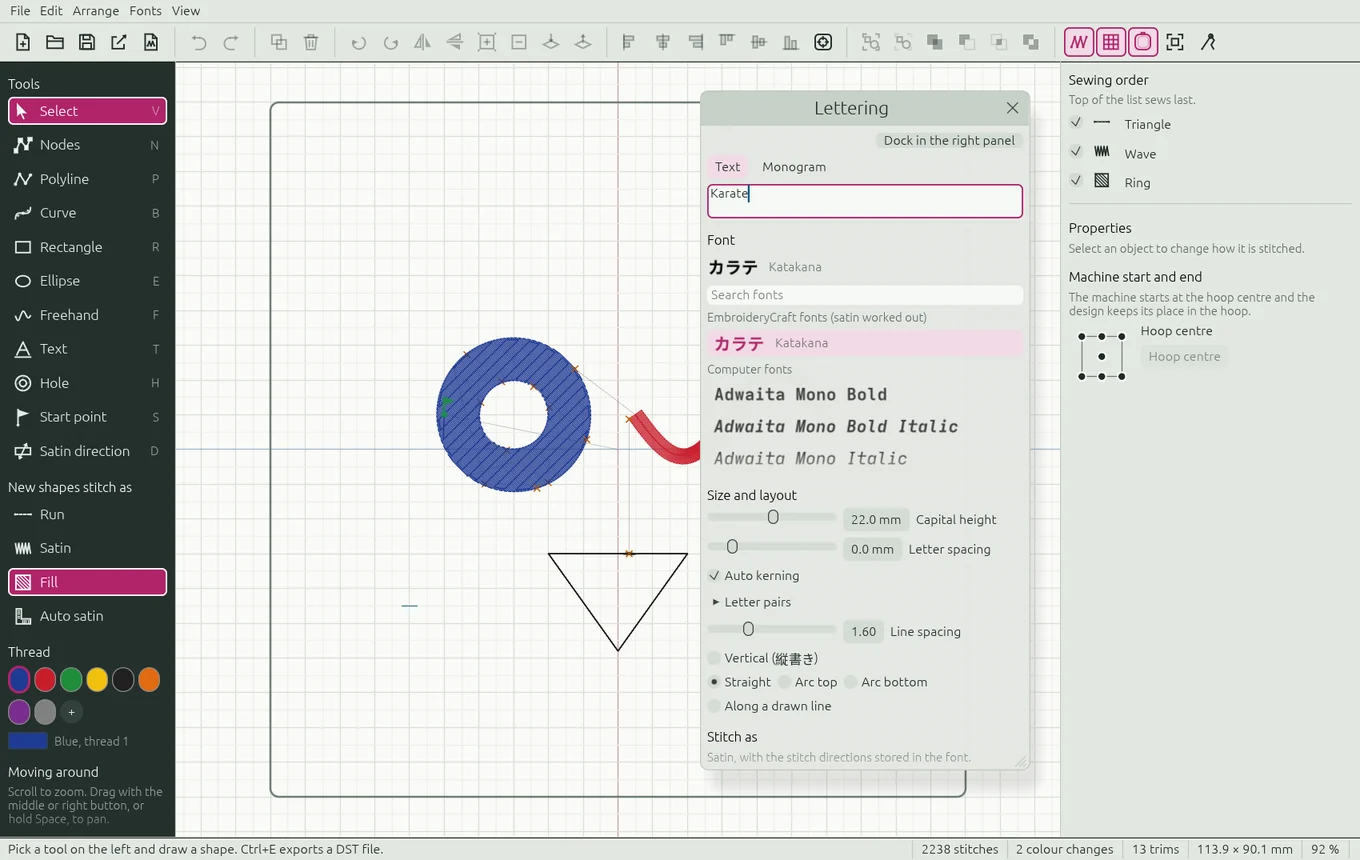
- Joined lettering: running stitches inside the letters instead of trims ("Karate" goes from 23 trims to 5)
- Lettering stays editable, so you can retype it, or change its font, size or arc, at any time
Monograms, badges and team names
- Monograms of two or three initials, in an optional circle, oval, diamond or square satin frame
- Team names: paste a list of names and get one DST file per name
- Background picture at real size (in mm) to trace a logo or photo. It is never sewn.
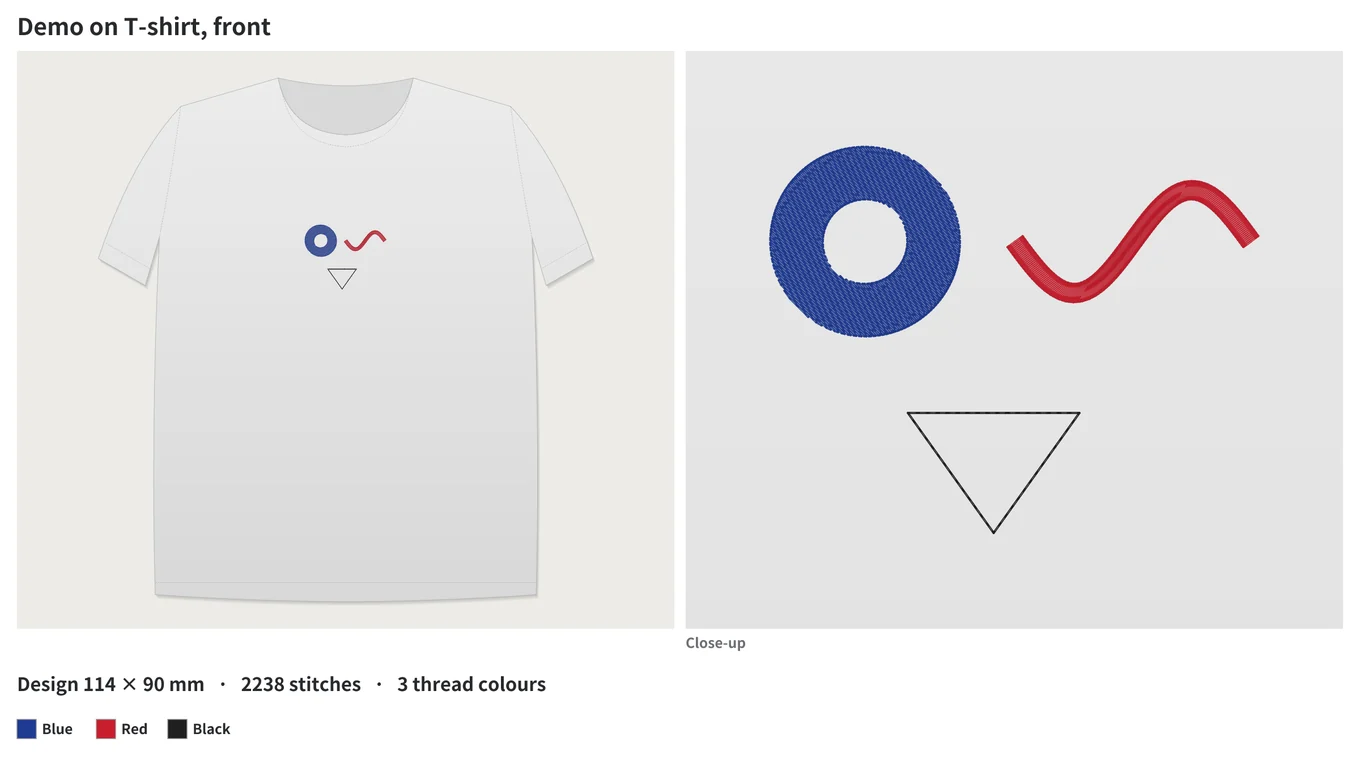
- Show it on a product (gi, belt, polo, T-shirt, cap, jacket, tote bag or your own photo) and save a mockup picture for your customer
Japanese, Korean and custom fonts
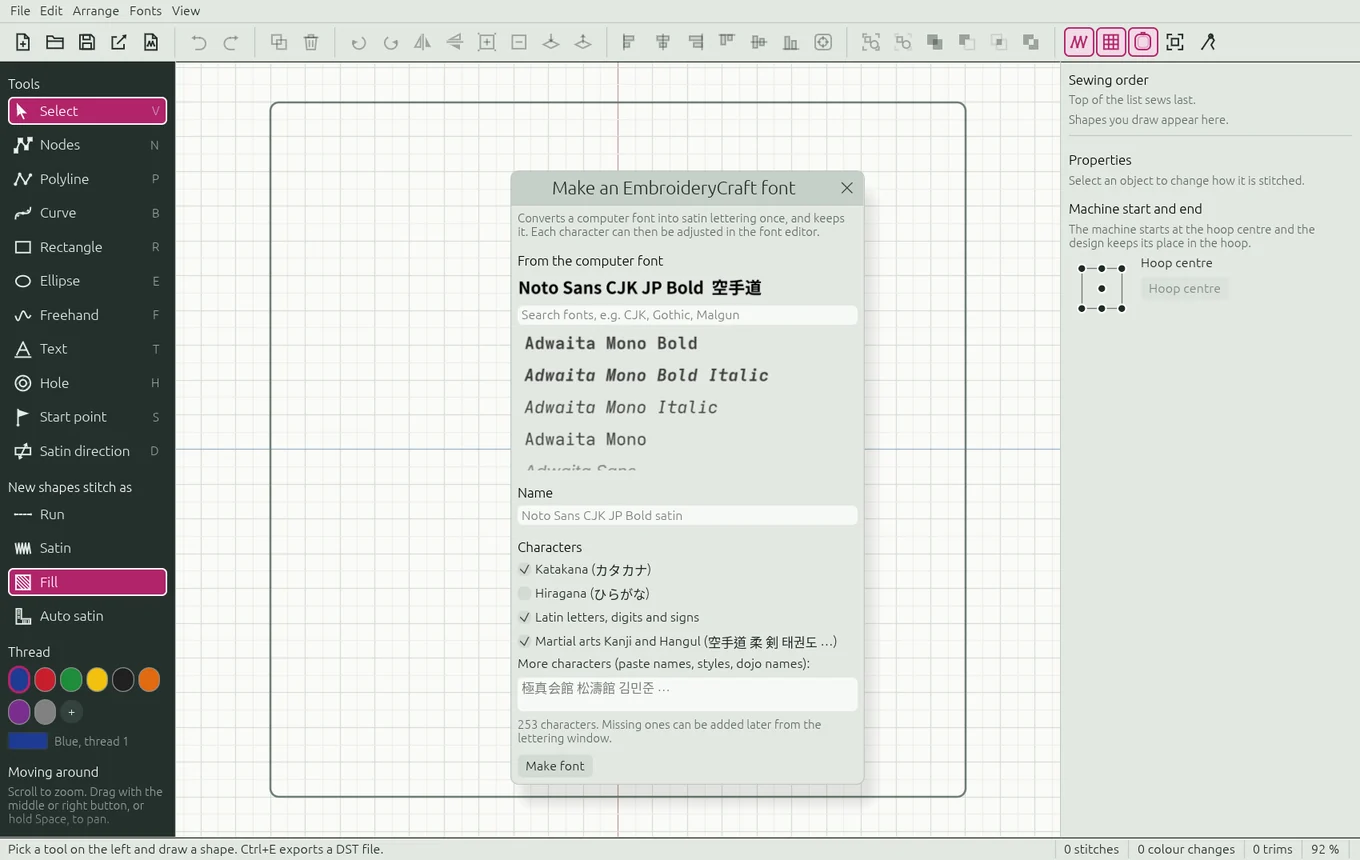
- EmbroideryCraft fonts (.ecfont): convert a computer font once, and lettering is instant and sews the same every time
- Font editor with a satin direction tool, or draw a new font from scratch
- Kanji, Hiragana, Katakana and Hangul, including vertical text (縦書き) for belts and gi
- Font lists show each font's name in that font (空手道 / 태권도)
Drawing and editing
- Select, node edit, polyline, rectangle, ellipse, freehand, Bézier curve and hole tools
- Resize, stretch and rotate handles (Shift for 15° steps), flip, duplicate
- Shape add, subtract, overlap and exclude, holes included
- Group and ungroup, align, centre in the hoop, change the sewing order
- Undo and redo, hover help on every tool, and project files (.embcraft)
Ready for the machine
- Tajima DST export and import, with trims, colour changes and jumps
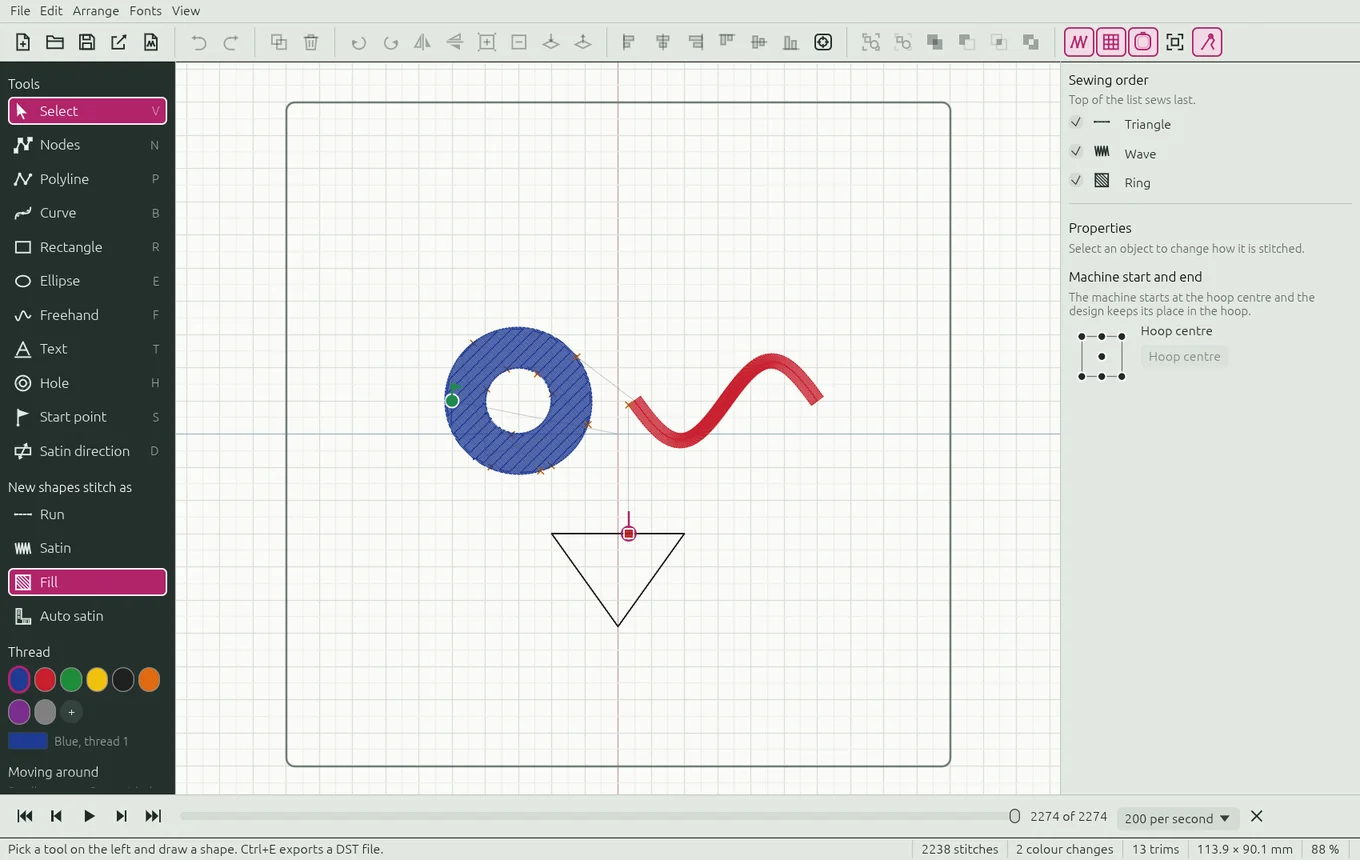
- Stitch player: watch the design sew out stitch by stitch
- Exact start points for every object, and a machine start/end position
- Hoop sizes (presets or custom), and a trim setting for your machine
- Open any DST file to check it, plus a command-line tool for batch work
See it in action
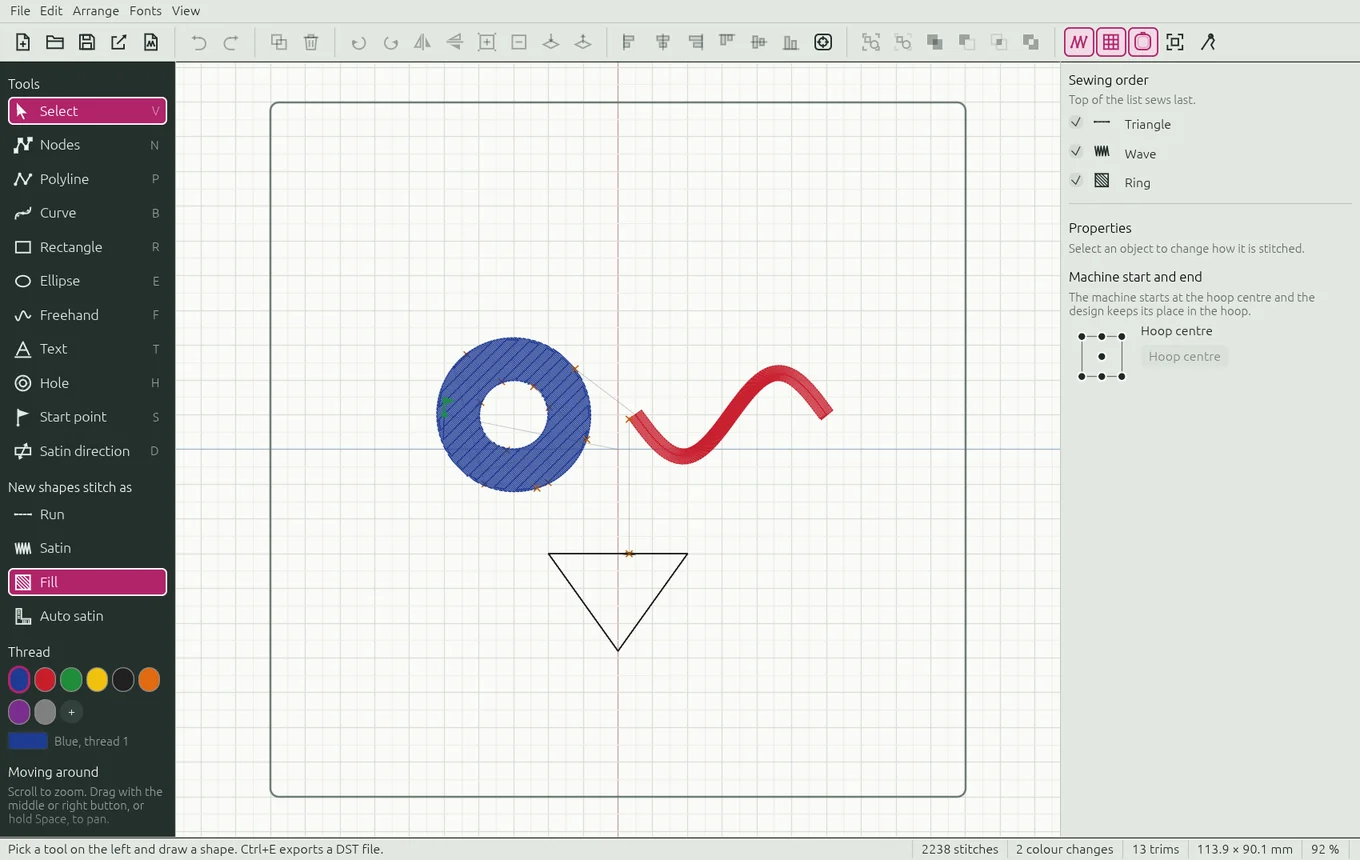
Real screenshots of EmbroideryCraft . More in the manual.
Free forever
MIT or Apache-2.0 licence. No subscription, no account, no watermark.
Built not to crash
Bad or damaged files give you an error message instead of crashing. The same design always produces the same stitches.
Windows, Mac and Linux
One app on all three, with ⌘ shortcuts and trackpad gestures on the Mac.
Who makes it
EmbroideryCraft is made by Francis Croisetière. The code is written together with Claude, Anthropic's AI, which also helps check and fix the bugs you report. Every change is reviewed before it's released.
Keep the needle moving
EmbroideryCraft is made in spare time and given away. A few dollars helps pay for hosting and development tools, and for the hours that go into new features.
♥ Donate on Ko-fi